
Your first time in a fancy cafeAI Video Generator
Put yourself or a friend in “POV: Your first time in a fancy cafe”. Upload one or two photos, try a free preview, then unlock the full 21-second video with original audio and a watermark-free download.
- You and a friend in the cafe scene
- Original clip audio included
- Watermark-free download
Prepare your photos
Add a photo for the left person, the right person or both.
- Choose a clear photo of yourself or a friend who agrees to take part.
- Use good light and show one face clearly.
- Include the head, shoulders and upper body so the person and clothes are easy to see.
- Use a separate photo for each person if you replace both roles.
Payment received. Sign in to use the credits in your existing account. Log in
How it works
- Upload your photos
- Try for free
- Unlock, download and share
About 3–5 minutes after purchase. Your video appears here automatically. We email your purchase email, shown while you wait, when it is ready.
From photos to your cafe scene
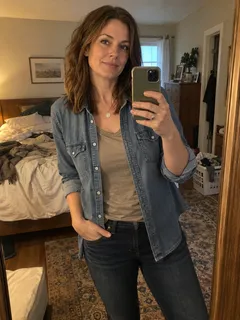
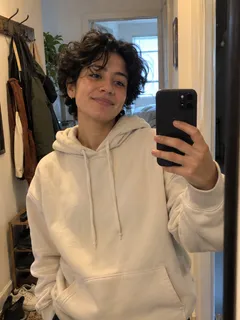
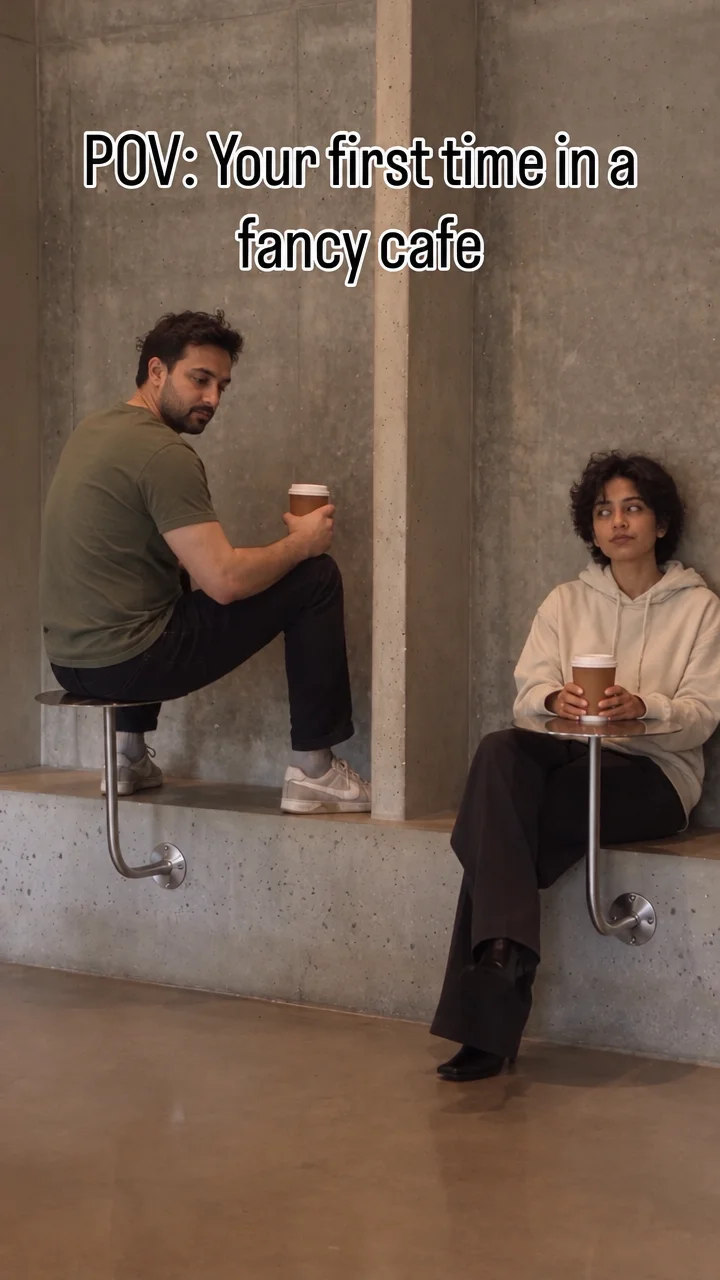
Two separate selfies recreate both people in this 21-second example, with the original clip audio.
Two selfies

Free preview
Two selfies

Fancy cafe template questions
01How much does Fancy Cafe AI cost?+
A 21-second video costs $9.99. Get three for $19.99 (33% off) or five for $29.99 (40% off). Packs create one video now; remaining credits stay in your account for later photo changes. Payments are one-time.
02What can I download?+
Download a watermark-free vertical MP4 of the full cafe scene with its original audio. You can also share a video link. Both stay available for 3 days.
03Which photos do I need?+
Upload a separate photo for each role you want to change. Choose a sharp, well-lit photo of one person. Keep the face easy to see and include the upper body. For a group image, crop a copy around the person you want to use.
04Can I upload separate selfies for each person?+
Yes. Each cafe role has its own photo. Add yourself to one and a friend to the other. Get their agreement before creating or sharing.
05Does my video include sound?+
Yes. The downloaded MP4 includes the original cafe reference clip audio together with the video.
06How do I share it on Snapchat or TikTok?+
Choose Share on the result page to send friends a watch link. Download the watermark-free vertical MP4 to post on TikTok, Instagram Reels or YouTube Shorts. The original clip audio is included.
07What if a photo is rejected or my preview fails?+
If a photo is rejected, choose Change photo and replace the marked photo with a clearer one. If the preview could not be created, choose Retry free preview to try again. Your selected photos stay available for changes.
08How long does it take, and how will I get it?+
A video usually takes about 3–5 minutes after purchase. It appears here automatically. We send a completion email to your purchase email, shown on the waiting page. You do not need to enter it again.
09Where can I make the first time in a fancy cafe video?+
Make it on FancyCafe AI in your phone or desktop browser. Choose photos for the seated visitor and arriving companion, purchase a video pack, and get the full 21-second cafe scene with original audio.
10What happens in the fancy cafe scene?+
A person mistakes a small wall table for a seat. A companion walks in, sits on the low ledge and puts a coffee on the table. The first person notices and changes seats.
11Can I make it on my phone without an editing app or writing prompts?+
Yes. Open FancyCafe AI in your phone browser, add your photos and choose a pack. The template keeps the cafe setting and reveal. Download the finished vertical MP4 or share its link.
12Do you offer a 100% satisfaction guarantee?+
Not happy with your video? A professional human editor will help fix it at no extra cost. Still not satisfied? Contact us for a full refund. Email support@fancycafeai.com with your order or video ID and explain the issue. Failed or blocked videos return their reserved credits. Support can review photo, payment, account and video questions.
13Is there a free preview?+
Yes. Add one or two photos and select Try for free to preview the effect. Then choose a pack to create your full cafe video with original audio and a watermark-free download.
14Do I need to create an account first?+
Your first purchase creates an account at checkout. Sign in with the same email to see your videos and use remaining credits.