FANCY CAFE AI
How to Make “POV: Your first time in a fancy cafe” with AI
Create the “POV: Your first time in a fancy cafe” AI video with one or two photos. Choose Left person, Right person or both, then download the full 21-second scene with original audio.
Start with the scene
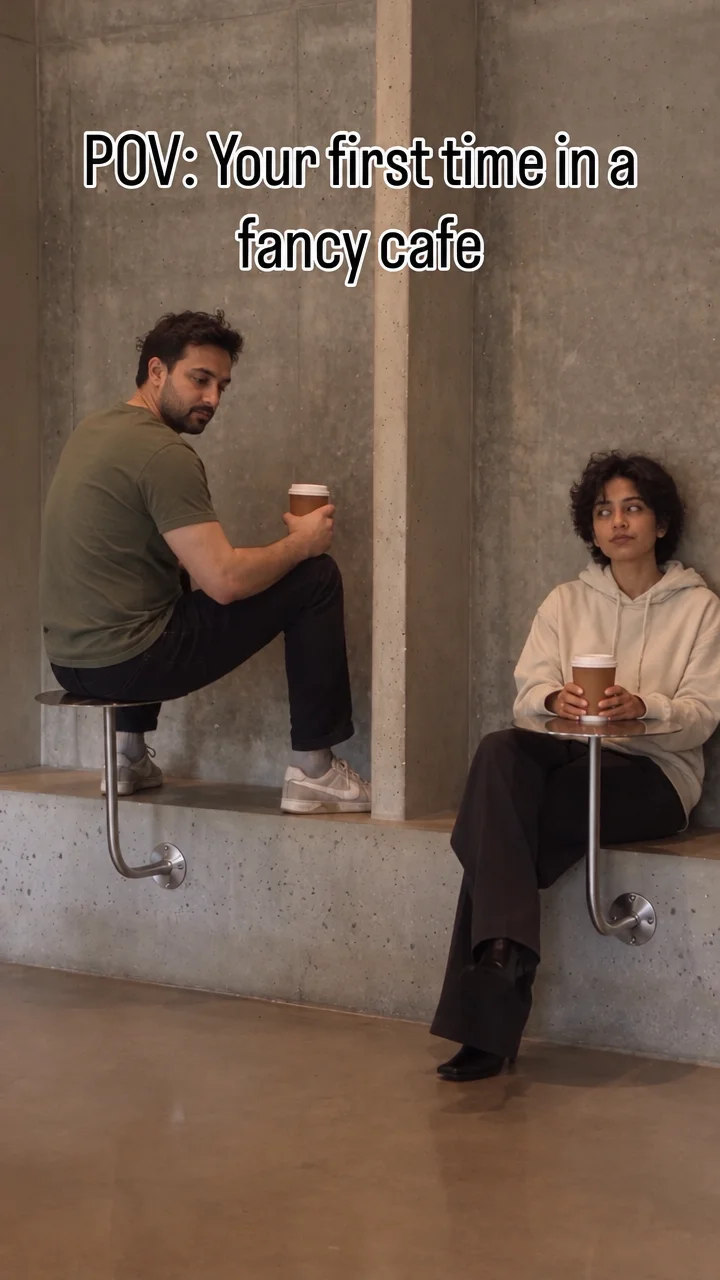
“POV: Your first time in a fancy cafe” starts with a small wall table mistaken for a seat. A companion arrives, sits on the low ledge and puts a coffee on the table. The first person notices and changes seats.
Watch the reference scene. Notice where the coffee goes and how the first person changes seats.
Choose who plays each role
The seated visitor begins the joke by using the wall table as a seat. The arriving companion uses the low ledge and table correctly, making the mistake clear.
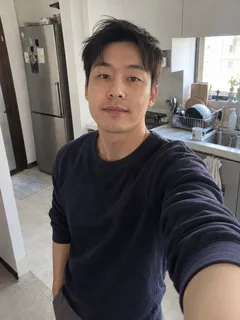
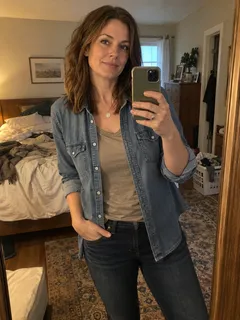
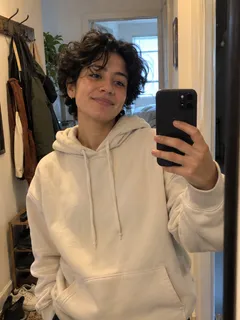
Put yourself in Left person and a friend in Right person, or swap the roles. You can change just one person and keep the other original. Use photos of yourself, friends, family or pets, such as cats and dogs, with permission.
Prepare the photos
- Choose one person per photo.
- Use a sharp image with even light and a visible face.
- Include the head, shoulders and upper body.
- Keep a separate image for each role you want to change.
Read the photo guide.
Keep the reveal clear
The unusual furniture creates the confusion. The companion’s arrival explains it. A version that shows the table, low ledge and change of seat makes the joke easy to follow.
Fancy Cafe AI questions
How do I create a fancy cafe AI video?
Add a photo to Left person, Right person or both. Select Try for free to preview the effect. Then choose one, three or five videos and complete checkout. Your photos stay selected, and the finished 21-second video appears here automatically.
Can I use separate photos for the two people?
Yes. Use a separate photo for each person you want to change. One photo is enough: the other person stays in the scene. Choose yourself, a friend, a family member or a pet, such as a cat or dog. Left person takes the wrong seat; Right person arrives with a coffee.
Which photo should I choose?
Use a sharp, well-lit photo with one clear face and both image dimensions at least 450px. Show the head, shoulders and upper body, including the clothes you want. For a group image, crop a copy around the chosen person. Public figures aren’t supported.
Does the video include sound?
Yes. The MP4 includes the original cafe reference clip audio. Picture and sound are delivered together, so you can play the result directly after downloading.
How much does it cost?
One full 21-second video costs $9.99. Three cost $19.99 with 33% off, and five cost $29.99 with 40% off. These are one-time purchases. The video pack creates one scene now and keeps the remaining credits in your account.
Is there a free preview?
Yes. Add one or two photos and select Try for free to preview the effect. Then choose a pack to create your full cafe video with original audio and a watermark-free download.
Do I need an account first?
Your first purchase creates an account at checkout. Use the same email to sign in later, see your balance and use remaining pack credits for new photo combinations.
How long does it take?
A video usually takes about 3–5 minutes after purchase. It appears here automatically. We send a completion email to your purchase email, shown on the waiting page. You do not need to enter it again.
How is FancyCafe AI different from Seedance or CapCut?
Seedance on fal takes reference files, a prompt and output settings. In CapCut, choose a template, add media, preview and export. FancyCafe AI has this cafe scene ready: choose one or two photos, select Try for free and see your free preview. Purchase the finished video with original audio and no watermark. Use your phone browser without writing a prompt or editing a timeline.
How do I share it on TikTok, Instagram or Snapchat?
Download the vertical MP4 to post it on TikTok, Instagram Reels or YouTube Shorts. Use Share on the result page to send a watch link, including in Snapchat or a group chat. Review the result and label shared output as AI-generated.
How long can I download it?
The finished video and its share link stay available for 3 days. Save the MP4 to your device before expiry. Scheduled cleanup removes expired media.
What happens if generation fails?
Failed or blocked videos return their reserved credits. Sign in to use the returned balance. If a photo is rejected, choose Change photo and replace the marked photo with a clearer one. If the preview could not be created, choose Retry free preview to try again. Your selected photos stay available for changes.
Do you offer a 100% satisfaction guarantee?
Not happy with your video? A professional human editor will help fix it at no extra cost. Still not satisfied? Contact us for a full refund. Email support@fancycafeai.com with your order or video ID and the part that needs attention.